Recipe scanner for your cookbooks
Every recipe you own, searchable.
Snap a cookbook page and Trawl turns it into a clean digital recipe — organized by book and chapter like your real shelf, with grocery lists and a cooking assistant built in.

Free to try · iPhone & iPad · Recipes stay in your iCloud
How it works
From printed page to cooking-ready in seconds
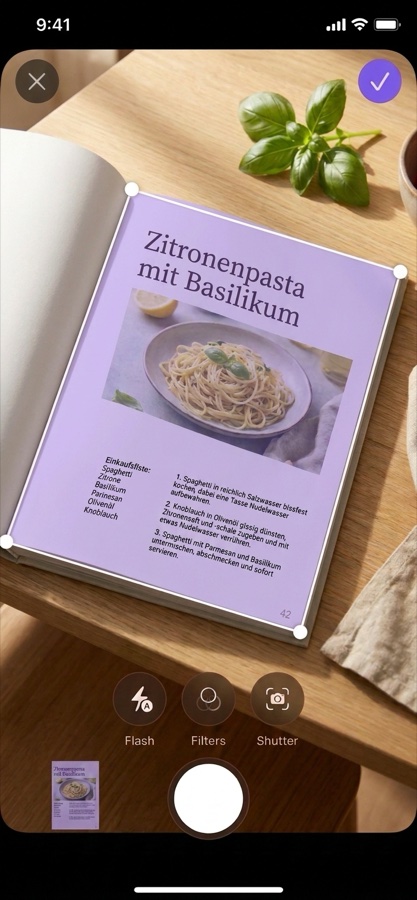
Snap the page
One page or five — photograph any recipe in any language. Multi-page recipes are reassembled automatically, even out of order.
Get a clean recipe
Ingredients, steps, times, and dietary tags — extracted and structured, filed under the right cookbook and chapter.
Cook and shop
Search your whole shelf, ask the assistant what to cook, and turn any recipe into a grocery list with one tap.
Inside the app
Your shelf, only smarter
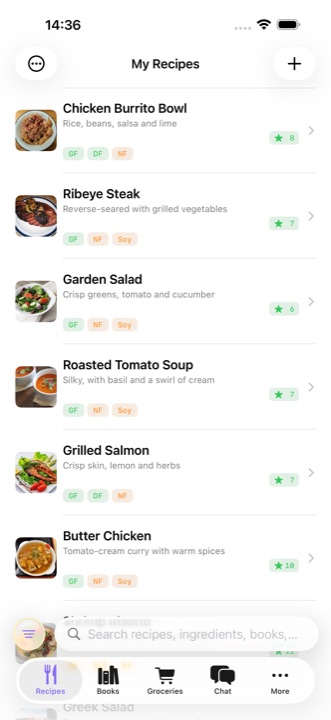
Search everything
Every scanned recipe becomes searchable — by title, ingredient, book, or author.
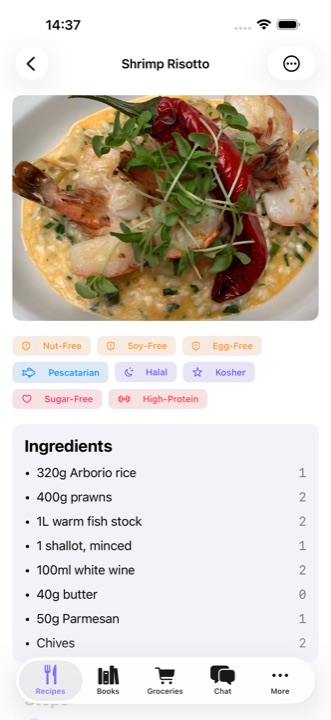
Recipes you can cook from
Clear ingredients and steps instead of a photo of a page — with the source book one tap away.
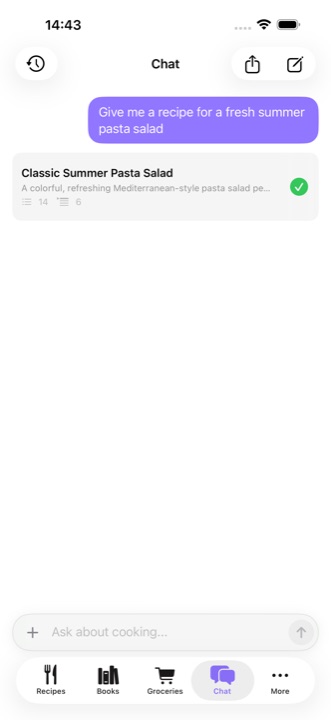
Ask your cookbooks
"What can I cook tonight?" The assistant answers from the books you actually own.
What you get
Built for people with real cookbooks
Multi-page scanning
Long recipes spanning several pages come out as one recipe — page order is detected automatically.
Shelf organization
Recipes live under their books and chapters. Scan a book's ISBN to auto-fill title, author, and cover.
Grocery lists
Pick recipes, get one consolidated shopping list. Check items off as you shop.
Cooking assistant
Ask for ideas, substitutions, or techniques — or import recipes from YouTube and the web by chat.
Dietary tags
Vegetarian, gluten-free, high-protein and more — detected automatically for every recipe.
Private by design
Recipes sync through your personal iCloud across devices. No account, no recipe database on our side.
Questions
Frequently asked
How does scanning work?
Point your camera at a recipe page — one page or several. Trawl reads the text on your device, understands the recipe structure, and saves ingredients, steps, times, and dietary info as a clean digital recipe. Multi-page recipes are stitched together automatically, even if you photograph the pages out of order.
Does it work with any cookbook?
Yes. Trawl reads printed pages in any layout and any language, and keeps the recipe in its original language. Clear handwriting — like family recipe cards — usually works well too.
Is Trawl free?
Trawl is free to download with a monthly allowance of scans and assistant chats. A subscription unlocks heavy use. No account required — sign in with Apple only when you want the assistant.
Where are my recipes stored?
On your device and in your personal iCloud, synced across your iPhones and iPads. Your scanned recipes are not stored on our servers.
Is there an Android version?
Not yet — Trawl is built natively for iPhone and iPad.
Your cookbooks deserve better than a shelf.
No iPhone handy? Get the link by email: